
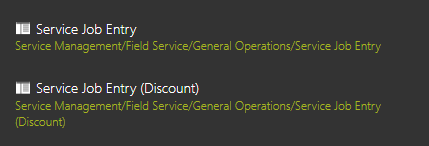
Open the Service Job Entry screen for the related Service Job for the Service Call with the issue.
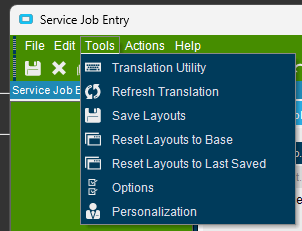
Go to Tools -> Personalization to open up the Personalization screen
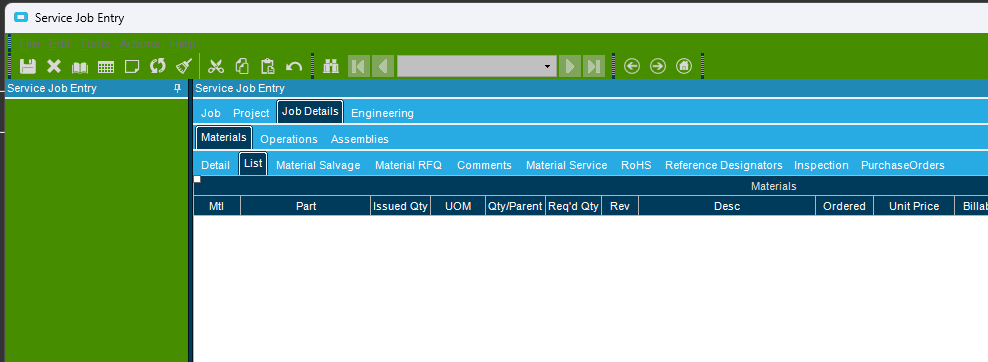
Go to the Job Details -> Materials -> List tab, and click inside the grid area on that tab.
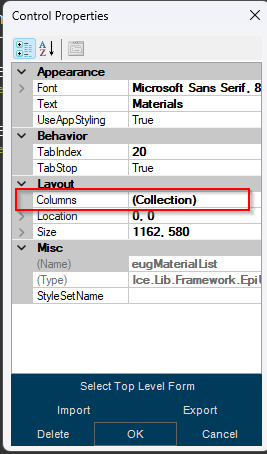
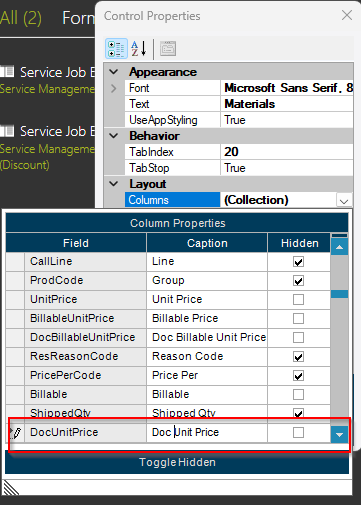
Inside the Control Properties, look for the Collection to the right of the Columns label, and click he down arrow to the right to open up the list.
In that list is a field named DocUnitPrice. The default label is Unit Price, but you can see below where I changed the Caption to Doc Unit Price, to make it easier to know what field is which. By default the 'Hidden' checkbox is checked. Uncheck the Hidden to the right of that item, and change the Caption.
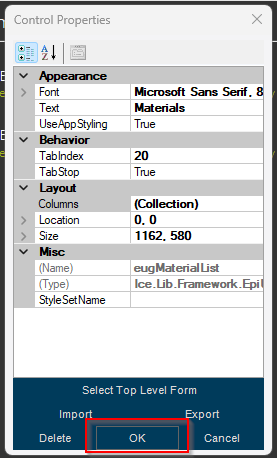
Click the OK on the bottom of the screen
Fixing Service Call Pricing Issues Print
Created by: Paul Millsaps
Modified on: Fri, Jun 5, 2026 at 9:59 AM
Did you find it helpful? Yes No
Send feedbackSorry we couldn't be helpful. Help us improve this article with your feedback.